
ERPAG ONBOARDING
Implement in days not weeks
Embarking on your ERP journey becomes an exciting exploration with a streamlined,
tech-savvy onboarding process that’s completed in just 10 days.
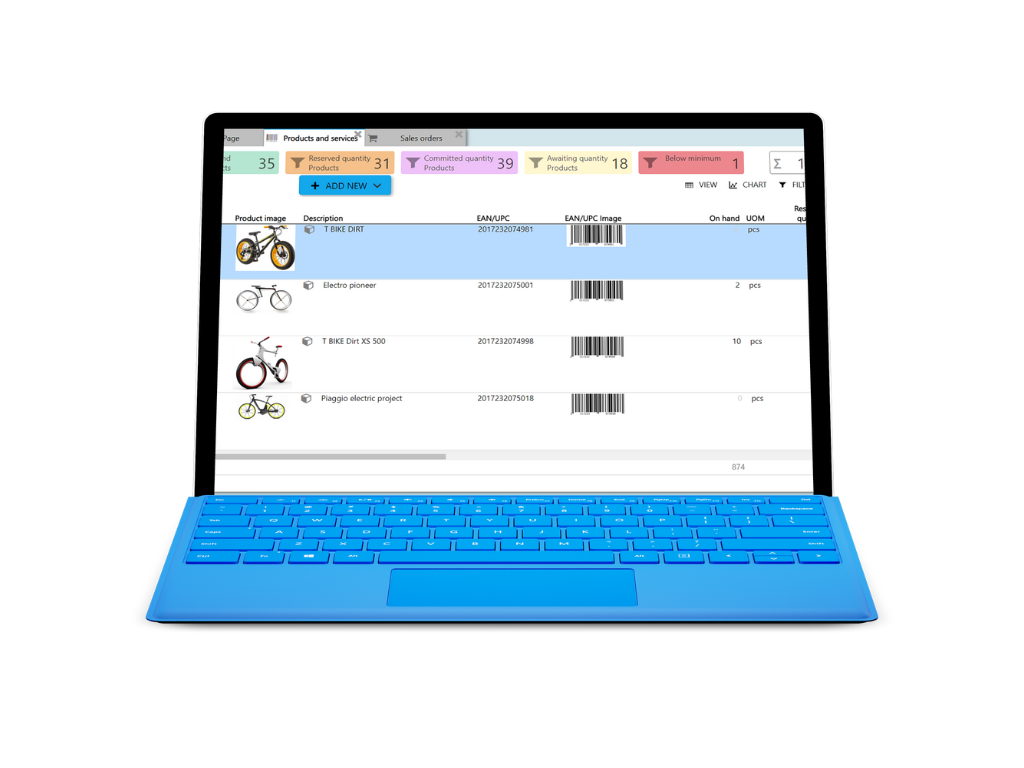
Step by step implementation program
Lorem ipsum dolor sit amet, consectetur adipiscing elit. In mi nunc, facilisis sed erat sed, interdum suscipit nisl. Donec ut ligula sed dolor accumsan placerat. Ut sed felis vitae augue condimentum viverra. Praesent condimentum magna sit amet dui interdum sodales. Ut tincidunt ipsum leo, nec hendrerit odio fermentum at. Cras sit amet nibh lacus. Ut a risus id libero pellentesque consectetur. Vestibulum ornare pulvinar laoreet. Cras non scelerisque tortor, et rutrum sapien.
Sed at lacus vitae augue egestas pulvinar ultricies nec nisi. In aliquet velit sed eros facilisis, in tempus eros imperdiet. Aenean mollis urna aliquet orci placerat porttitor. Aenean tincidunt urna sed faucibus sodales. Donec sit amet eros eros. Duis volutpat arcu at efficitur molestie. Pellentesque gravida dolor risus, a sollicitudin arcu euismod sit amet.
[leaflet-map address=”Belgrade” zoom=2]
[leaflet-marker address=”Belgrade”] BELGRADE:Datacenter [/leaflet-marker]
[leaflet-marker address=”Sydney”] BELGRADE:Datacenter [/leaflet-marker]
[leaflet-marker address=”Delaware”]BELGRADE:Datacenter[/leaflet-marker]
[leaflet-marker address=”Singapor”]BELGRADE:Datacenter[/leaflet-marker]
[leaflet-marker address=”Bangalore”]BELGRADE:Datacenter[/leaflet-marker]
[leaflet-marker address=”Roubaix“]BELGRADE:Datacenter[/leaflet-marker]
[leaflet-marker address=”Paris“]BELGRADE:Datacenter[/leaflet-marker]
[leaflet-marker address=”Beauharnois “]BELGRADE:Datacenter[/leaflet-marker]
ERPAG locations
Our Awesome Team

Nenad Nenadic
Machine industry
20 yrs of experiance in varius industries. Implemented some of the top brands. Accent on mechanical engineering.

Maria
Customer support manager
Lorem ipsum dolor sit amet, consectetur adipiscing elit. In mi nunc, facilisis sed erat sed, interdum suscipit nisl.

Dejana
Food and food processing
Lorem ipsum dolor sit amet, consectetur adipiscing elit. In mi nunc, facilisis sed erat sed, interdum suscipit nisl.

Sanja
Medical industry
Lorem ipsum dolor sit amet, consectetur adipiscing elit. In mi nunc, facilisis sed erat sed, interdum suscipit nisl.
Simple onboarding plan
Business process scanning
Business Process Scanning: Begin by thoroughly analyzing your current business processes. Understand the workflows, identify bottlenecks, and pinpoint areas for improvement. This step ensures that the ERP solution is tailored to meet the specific needs of your business.
User role definiton
Define the access controls and permissions for different users. Ensure that each team member has the appropriate level of access according to their role and responsibilities within the organization.
Customization +Automation setup
Tailor the ERPAG system to fit the unique processes and requirements of your business. This might involve customizing workflows, forms, or fields to match your operational needs.
Identify repetitive tasks and processes that can be automated. Implementing automation within your ERP system can significantly increase efficiency, reduce errors, and free up your team to focus on more strategic tasks.
Data migration
Prepare for a smooth transition by carefully planning the migration of your existing data into the new ERP system. This involves data cleansing, mapping, and validation to ensure accuracy and integrity in the new environment.
Reporting setup
Customize the reporting tools and dashboards according to your business’s needs. This involves setting up real-time reports and analytics to provide insightful business intelligence and support decision-making.
Integration
Seamlessly integrate the ERP system with other business applications and systems, such as Accounting, e-commerce… This ensures a unified platform where data flows smoothly across all departments.
Platform setup
Configure the ERP software. This includes setting up accounts, backups, language, databases, and user interfaces.
Entity definition
Clearly define all the entities in your ERP system, such as customers, suppliers, products, and employees. This involves establishing the relationships and hierarchies between different entities, ensuring a structured and organized system.