
Supplier SKU in mobile app
________________________________________________________________________________
Changelog 2019-05-02
We enabled searching for the Purchase Order, based on the supplier SKU, in the mobile application.
The supplier SKU is added on the item level:

In the mobile app, tap on the ‘Receive’, under the Inventory menu, to open the list of items available for receiving.
In the EAN/UPC/SKU section enter the supplier SKU, and tap on enter or search button.
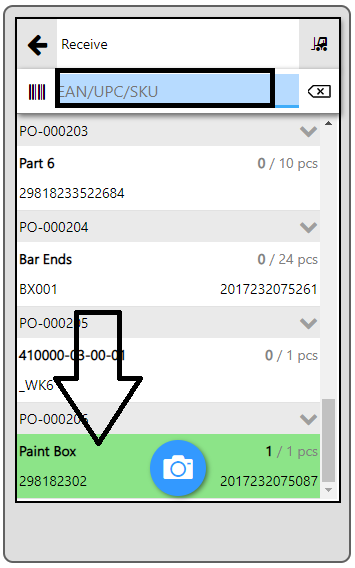
ERPAG will automatically find and highlight the item you were searching for. From here you just need to receive it to your stock.
Regards,
ERPAG Inc.


Recent Comments