
ERPAG Change Log 02/10/2019.
Estimated cost and margin in Quotations
You can now add estimated cost, margin, markup columns in your Quotations from the more > columns option:

If you pick an item in a quotation, it will also display the estimated cost of that item:
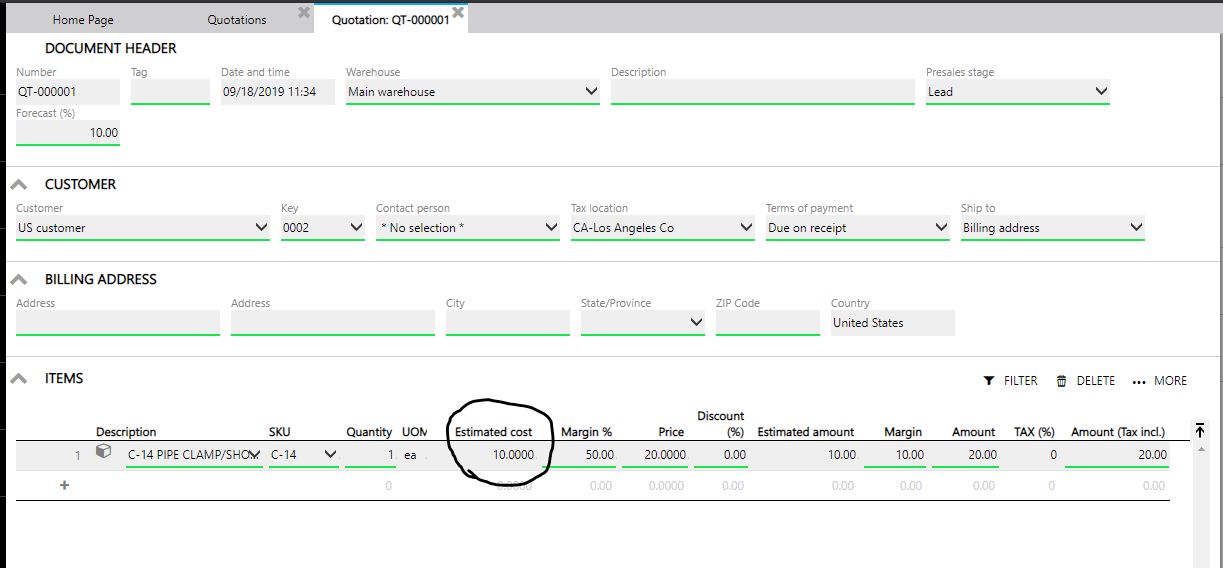
The estimated cost is actually a purchase price that you enter on an item level:

If we change the purchase price over time:

We can apply these changes in Quotations. Open the wanted Quotation, click on edit and then click on the ‘apply’ button. You can apply a new selling price, estimated cost or discount:

And the changes will be applied after you confirm it:

Regards,
ERPAG Development team


Recent Comments